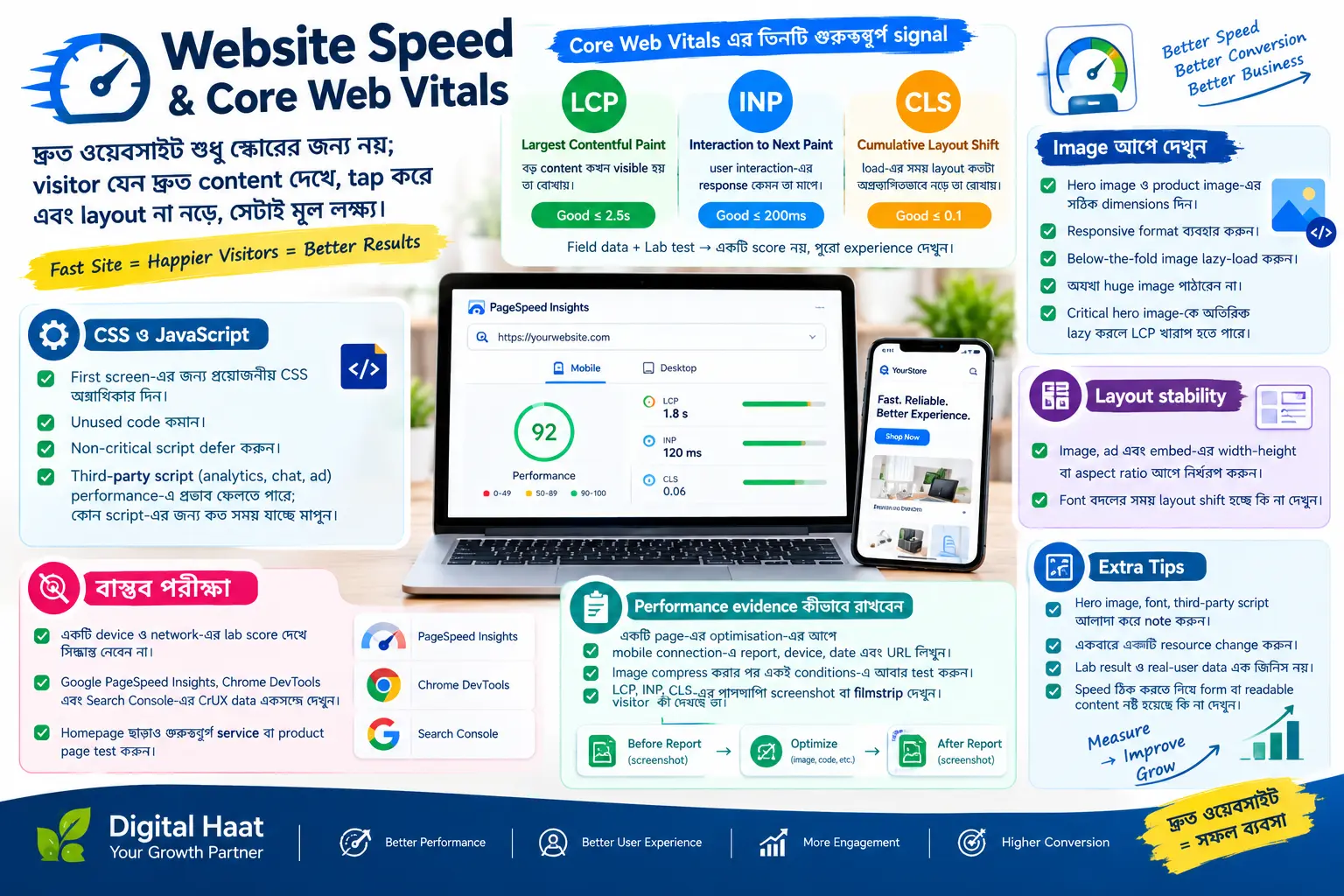
LCP: loading performance
Largest Contentful Paint measures how quickly the main content becomes visible. Prioritise the hero image or heading, use an appropriately sized image, preload only critical assets and reduce slow server response time.
INP: interaction responsiveness
Interaction to Next Paint reflects how quickly the page responds to clicks, taps and typing. Reduce unnecessary JavaScript, split expensive work and avoid long tasks that block the main thread.
CLS: visual stability
Cumulative Layout Shift measures unexpected movement. Reserve width and height for images, ads and embeds, and avoid inserting content above something the user is reading.
Optimise images and fonts
Use modern formats such as WebP where suitable, serve responsive sizes and compress without damaging important detail. Load only the fonts and weights you need and keep text visible while fonts load.
Measure before and after
Use Lighthouse for controlled checks and Search Console field data for real users. Test mobile and desktop, record the change, and improve one bottleneck at a time.
Performance checklist
- Stable image dimensions and responsive image sizes
- Compressed CSS, JavaScript and image assets
- Minimal render-blocking third-party code
- Fast hosting and sensible caching
- Real-user monitoring after deployment